
AWS announced the general availability of their new Generative AI service – AWS Bedrock. I couldn’t resist a little play with AWS Bedrock. I have used Midjourney (https://www.midjourney.com/) to create some website graphics and I wanted to compare how AWS Bedrock performs using similar AI prompts. It appears that Midjourney requires users to sign up for a monthly subscription after their 20 free trials. I have steered away from these types of services because I have a bad memory and spend money unnecessarily. The minimum Midjourney monthly plan costs USD 10 per month.
If you plan on testing AWS Bedrock, you will need to enable a ‘foundation model’ on your account. In your AWS console search for service AWS bedrock. AWS bedrock is only available in specific AWS regions and you will need to change into one of the listed regions if prompted.

Click on the orange “Get Started” button

AWS Bedrock provides Machine Learning (ML) models. We therefore need to configure access to the models for all users. Click on “Manage model access”. Note the models selected will be accessible via the AWS marketplace and subject to Marketplace pricing.
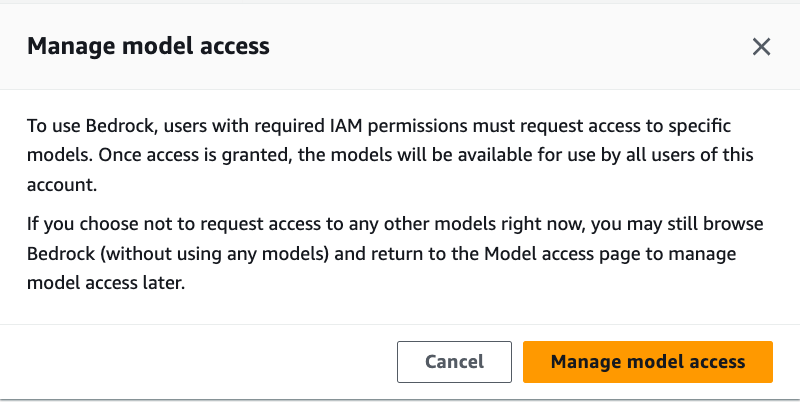
Click on Model Access, then click on the Edit button and tick the box next to “Stability AI”. Then click on Save changes.
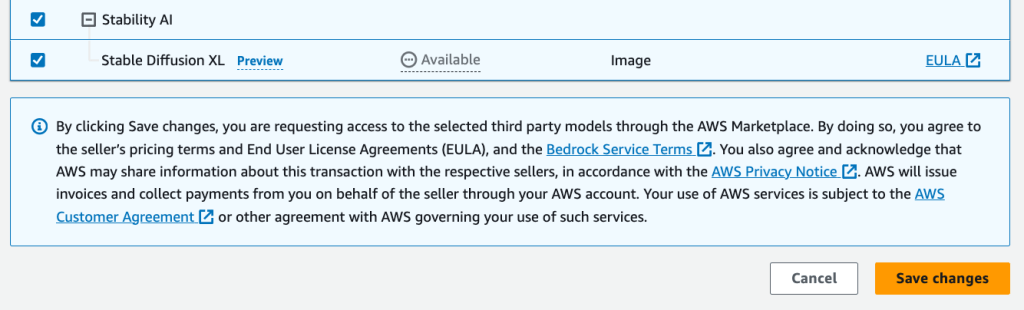
There will be a delay while it’s approved in the AWS backend (about 2 minutes). Your AWS Account root user will receive an email notification when approved. Once this is done, we can start entering prompts.
When I used MidJourney, my prompt was “Someone wearing headphones monitoring computer screens for alerts“
Midjourney returned the four options for me and I chose the first option.

My similar prompt in AWS Bedrock produced the following picture:

I didn’t ask for a comic illustration-style output, so I changed the AWS Bedrock prompt to skew the output towards a photo-realistic output similar to Midjourneys. I did this by changing the prompt to: “Photo realistic output with someone wearing headphones monitoring computer screens for alerts“.
Unfortunately, the output style didn’t change as expected (see below).

I do really like the Midjourney’s photo-realistic outputs but in this case, the comic illustration style is OK for my blogs. From my five-minute experiment, I have created a quick comparison table.
| MidJourney | AWS Bedrock Stability AI (beta) model |
| Monthly subscription pricing | Usage based pricing model |
| Can see other Discord user’s prompts to help develop your prompting skills | Need to use Market Place vendors documentation for details |
| Discord UI can be confusing | One-time setup required, but easy UI to use |
| Can produce photo-realistic style outputs | Comic illustration style outputs (will need more time to experiment) |
If you have followed along with this demonstration you will see an AWS Marketplace line item in your AWS bill.

Overall I prefer AWS bedrock for my website graphics as I’m not a big fan of monthly subscriptions. As shown above, the charge on my AWS account for creating three images via AWS Bedrock was only USD 0.08! The comic illustration style outputs are good enough for my blog title pictures and these outputs are really great for presentations too. This simple demo did a “text to image” experiment, it is possible to do “image to image” (in-painting) where you can update your image via prompts. Imagine sitting in a boring Teams meeting where you take a screenshot and use AWS Bedrock to change the background objects and create a really cool meme!
Midjourney can provide stunning images that will blow your mind. I look forward to seeing how the AWS Bedrock service develops (Stability AI model is still in beta) in the future.
 AWS Cloud DevOps